Number Line Maker with Jumps: Draw and Print
Type where the number line starts and ends and the gap between tick marks. Whole numbers and negatives both work, up to 60 ticks. Then choose where the jumps start, how big each jump is and how many there are. Press Draw the number line to see an arc for each jump and the number sentence underneath, ready to print.
Free to use, no sign-up. Everything runs in your browser: nothing you type is uploaded.
The line
Whole numbers only, negatives allowed. At most 60 tick marks.
The jumps
Jump by a negative number to count back. Use 0 jumps to draw only the line.
Number line
How to use it
1. Set the line
Type the first and last numbers and the gap between tick marks. For counting by 5s along 0 to 50, use 0, 50 and 5. Negative numbers are fine.
2. Plan the jumps
Say where the first jump starts, how far each jump goes and how many jumps to make. A jump of -2 counts backwards, so it works for subtraction too.
3. Draw it
Press Draw the number line. Each jump is an arc labelled with its size, and the number sentence appears underneath with the total worked out exactly.
4. Print or project
Use Print the number line for a worksheet, or leave it on the class screen and change the numbers as you go. Only the line and the sentence are printed.
Ideas for class and home
Addition as jumps
Show 8 + 5 as five jumps of 1 from 8, or as jumps of 5. Children see that addition means moving along the line and can check the total at the end.
Counting back for subtraction
Start at 15 and jump by -3 four times. The arcs go left and the sentence reads 15 - 3 - 3 - 3 - 3 = 3, which links subtraction to counting back.
Skip counting and times tables
Draw 0 to 36 with jumps of 4. Each landing number is a multiple of 4, so the line becomes a picture of the four times table.
Negative numbers
Set the line from -10 to 10 and start jumping at 3 with jumps of -2. Children watch the jumps cross zero and see why the answer is below it.
Printables that go with this tool
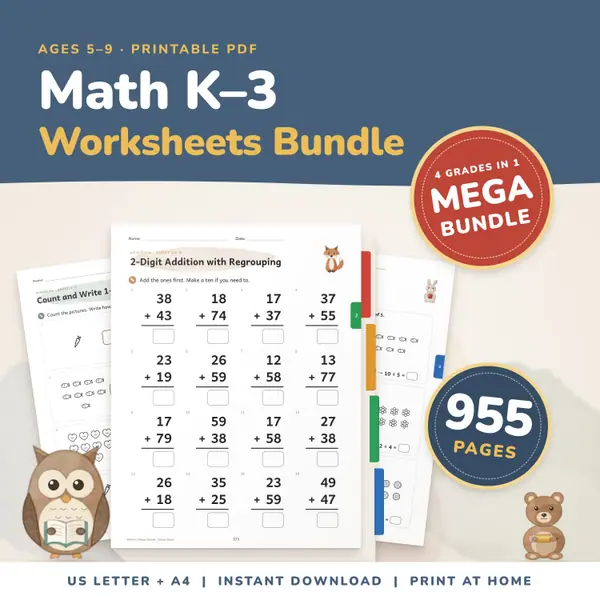
Math Worksheets Bundle K-3
955 pagesUS Letter + A4Kindergarten to 3rd gradeEnglish
See price and buy on Etsy
Questions and answers
Is this number line maker free?
Yes. It is free to use with no sign-up, and you can draw and print as many number lines as you like.
How many tick marks can I have?
Up to 60 tick marks. If your start, end and gap would need more, the tool tells you so you can make the gap bigger or shorten the line.
Can the jumps go backwards?
Yes. Type a negative number such as -3 for the jump size. The arcs go back along the line and the number sentence uses subtraction.
Is my work saved or uploaded?
No. Everything is worked out in your browser on this device. Nothing you type is sent anywhere, and the page forgets it when you close it.
More settings of this tool
English word lists
More free tools
- Interactive Hundreds Chart: Colour, Count and Print
- Fraction Strips and Wall: Compare Fractions Free
- Place Value Chart: Digits, Values, Expanded Form
- Teaching Clock: Analogue Clock to Tell the Time
- Multiplication Chart Maker: Filled, Blank, Partial
- Random Name Picker: Pick a Student From Your List
- Random Group Maker: Split a Class Into Teams
- Spinner Wheel: Spin to Pick a Name or Choice
- Dice Roller: Roll 1 to 6 Dice Online
Put this tool on your own site
Copy this code into your class page or blog. The tool is free; the small link under it tells your visitors where it comes from.
Updated