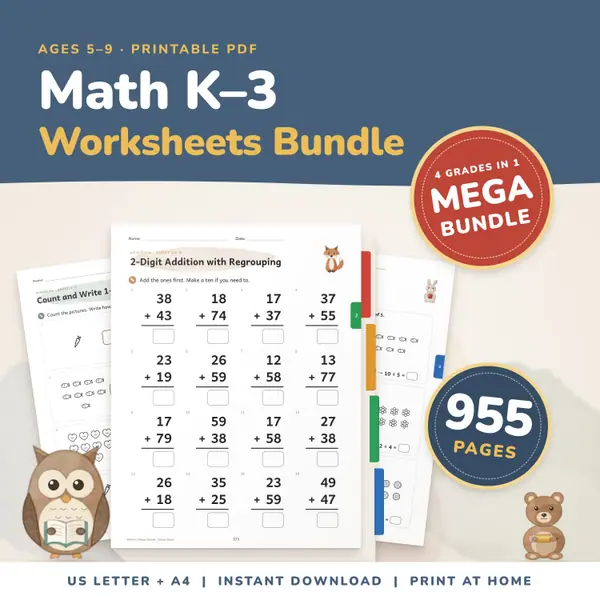
Math Worksheets Bundle K-3
955 pagesUS Letter + A4Kindergarten to 3rd gradeEnglish
See price and buy on EtsyType a whole number from 0 to 999,999,999 and press Show the chart. Each digit appears in its column from ones up to hundred millions, with the value of that digit underneath and the whole number written in expanded form, such as 4,000 + 300 + 20 + 7. Choose how many digits and press Random number for practice.
Free to use, no sign-up. Everything runs in your browser: nothing you type is uploaded.
Digits only, from 0 up to 999,999,999.
Enter a whole number up to 999,999,999 using digits only. The chart is already showing a sample number, so you can see how it works straight away.
Press Show the chart. Every digit sits in its column, from ones on the right to hundred millions on the left, and empty columns are left blank.
The row underneath gives the value of each digit, so a 3 in the hundreds column is shown as 300. A zero digit has a value of 0, which helps with numbers like 5,007.
Choose how many digits you want and press Random number. Cover the answers on the class screen, ask the class to say each value, then reveal the chart.
Put a random four-digit number on the screen and ask the class to write its expanded form on mini whiteboards before you press the button to check.
Type numbers such as 40,305 and 700,020. Children see that zero holds a place, and that the digit next to it keeps its own value.
Use nine-digit numbers to practise reading in groups: millions, thousands and ones. The column names make the groups easy to spot.
Generate two random numbers with the same number of digits. Children compare the leftmost column first, which shows why the highest place decides which number is bigger.
955 pagesUS Letter + A4Kindergarten to 3rd gradeEnglish
See price and buy on Etsy709 pagesUS Letter + A43rd grade & 4th gradeEnglish
See price and buy on Etsy2,289 pagesUS Letter + A4Kindergarten to 3rd gradeEnglish
See price and buy on EtsyYes. It is free to use, there is no sign-up, and you can make as many charts and random numbers as you want.
999,999,999, which is nine digits. Anything bigger, negative, or with a decimal point or letters is not accepted, and a message explains what to type.
The tool uses the number format of your language, so group separators and digits follow what you are used to reading. Type your number with digits only.
No. The chart is worked out in your browser on this device. Nothing you type is saved or sent anywhere.
Copy this code into your class page or blog. The tool is free; the small link under it tells your visitors where it comes from.
Updated