Classroom Noise Meter: See How Loud the Room Is
Press the start button and allow the microphone. A large bar moves with the sound in the room. Drag the slider to set the too loud line. When the sound stays above it, the screen says so in words and counts how many times it happened. Nothing is recorded or sent anywhere.
Free to use, no sign-up. Everything runs in your browser: nothing you type is uploaded.
Nothing is recorded and nothing is sent. The sound is measured live in your browser and then forgotten.
Sound level
Times too loud: 0
Drag to move the dashed line on the bar. The room counts as too loud when the bar stays past it.
How to use it
1. Start listening
Press the start button and choose Allow when your browser asks about the microphone. The sound is measured on this device only and never recorded.
2. Set the too loud line
Drag the slider to place the dashed line on the bar. A lower line is stricter, which suits a test. A higher line suits group work.
3. Watch the bar
The bar rises and falls with the sound. If it stays past your line, the screen says Too loud in words, so no one has to guess from the colour.
4. Check the count
Each time the room goes over the line and stays there, the counter goes up by one. Press Stop when you are done, and the microphone is released.
Ideas for class and home
A quiet challenge
Set a goal such as no more than two too loud moments during silent reading. The class can see the counter and work together to keep it low.
Group work volume
Put the meter on the board during table talk so groups can see when voices drift up, and bring them back down without a reminder.
Lunch and assembly lines
Show the bar while children line up or wait. Seeing the level makes a hushed, orderly line something they can aim for.
Homeschool read-aloud time
Find out how loud the house gets during lessons with siblings, and set a line that tells everyone when it is time to use indoor voices.
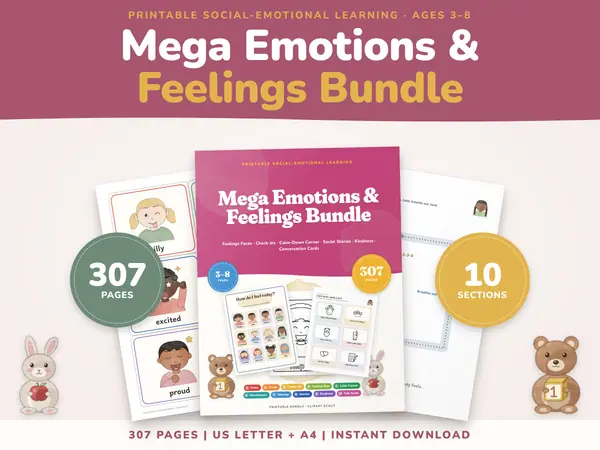
Printables that go with this tool

Questions and answers
Is the noise meter free?
Yes. It is free, needs no sign-up and has no time limit. Open the page, allow the microphone and it is ready to use.
Does it record my classroom?
No. The page only reads the loudness of the sound as it happens. No audio is saved, uploaded or kept, and all of it stays in the browser on this device.
Why does it say the microphone was refused?
Your browser blocked access. Click the lock or microphone icon near the address bar, allow the microphone for this page, and press the start button again.
Is it an exact decibel reading?
No. It is a simple guide to how loud the room is compared with your chosen line. Microphones differ, so adjust the slider until the line feels right for your room.
More free tools
- Classroom Timer: Big Countdown Timer for Lessons
- Online Stopwatch with Lap Times for Class
- Classroom Scoreboard: Team Score Keeper for 2-6
- Classroom Traffic Light: Noise Levels on Screen
- Seating Chart Maker: Make and Print a Class Plan
- Random Name Picker: Pick a Student From Your List
- Random Group Maker: Split a Class Into Teams
- Spinner Wheel: Spin to Pick a Name or Choice
- Dice Roller: Roll 1 to 6 Dice Online
Put this tool on your own site
Copy this code into your class page or blog. The tool is free; the small link under it tells your visitors where it comes from.
Updated