Kids Reading Log & Journal Printable
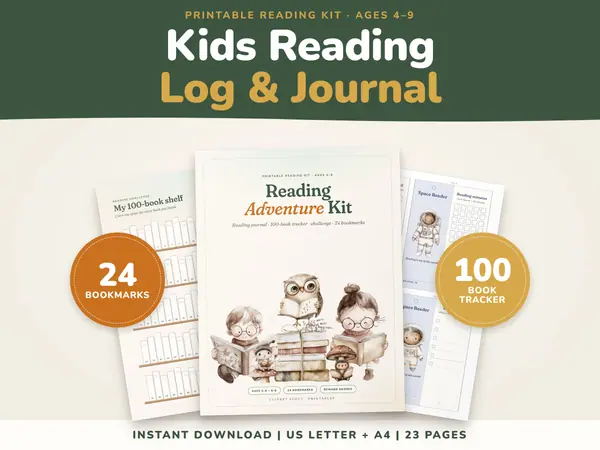
23 pagesUS Letter + A4KindergartenEnglish
See price and buy on EtsyType the heading, the name, the reason and the date, then the name that goes under the signature line. Pick one of three borders and a colour. The certificate preview changes as you type and is exactly what prints. Press Print the certificate and choose landscape in the print window, on A4 or US Letter paper.
Free to use, no sign-up. Everything runs in your browser: nothing you type is uploaded.
When printing, choose landscape in the print window so the whole certificate fits on the page.
What you type is saved on this device only.
Presented to
Date
Edit the heading, then type the name and the reason. The sample reason shows how a sentence reads when it starts with "for". The date is today unless you change it.
Type the name that should appear under the signature line, such as the class teacher. The line above it stays empty so a real pen signature can be added after printing.
Pick one of three borders and a colour. The border is drawn with lines, not a filled background, so the colour still prints when your printer ignores background graphics.
Press Print the certificate, choose landscape in the print window and pick A4 or Letter. Check the preview first, because it shows exactly what will go on the paper.
Give every pupil a certificate for something real, such as best improvement, most helpful or most curious. Change only the name and the reason, then print the next one.
Mark a finished reading challenge, a times tables badge or a spelling streak. A printed page that goes home on the fridge means a lot to a young learner.
Celebrate a finished year, a finished book or a skill learned, with the parent's name under the signature line. Keep one copy in the portfolio.
Use the heading for a different award each time, such as Player of the Match or Best Team Spirit, and choose the team's colour to match the kit.
23 pagesUS Letter + A4KindergartenEnglish
See price and buy on EtsyYes. It is free to use with no sign-up, and there is no watermark on the certificate. Print as many as you need.
No. Everything you type stays in your browser on this device, and nothing is uploaded. Clear your browser data if you share the computer and want the last certificate gone.
Choose landscape in the print window. The certificate is designed for a landscape page and fits A4 and US Letter. In portrait it is wider than the paper.
Not in this tool. It makes a clean certificate with text and a border. You can stick a sticker or add a stamp by hand on the printed copy.
Copy this code into your class page or blog. The tool is free; the small link under it tells your visitors where it comes from.
Updated